
A sheet per area
Bar, storeroom, Fridge 1 - in the order you walk them, with items in their shelf order.
Stock counts for hospitality
EVoStocks turns the stock count of a café, bar or restaurant into a quick walk: one sheet per area, scan or type what you see, review the totals and print a count sheet ready to sign.
Open in your browser Google Play and App Store - soon
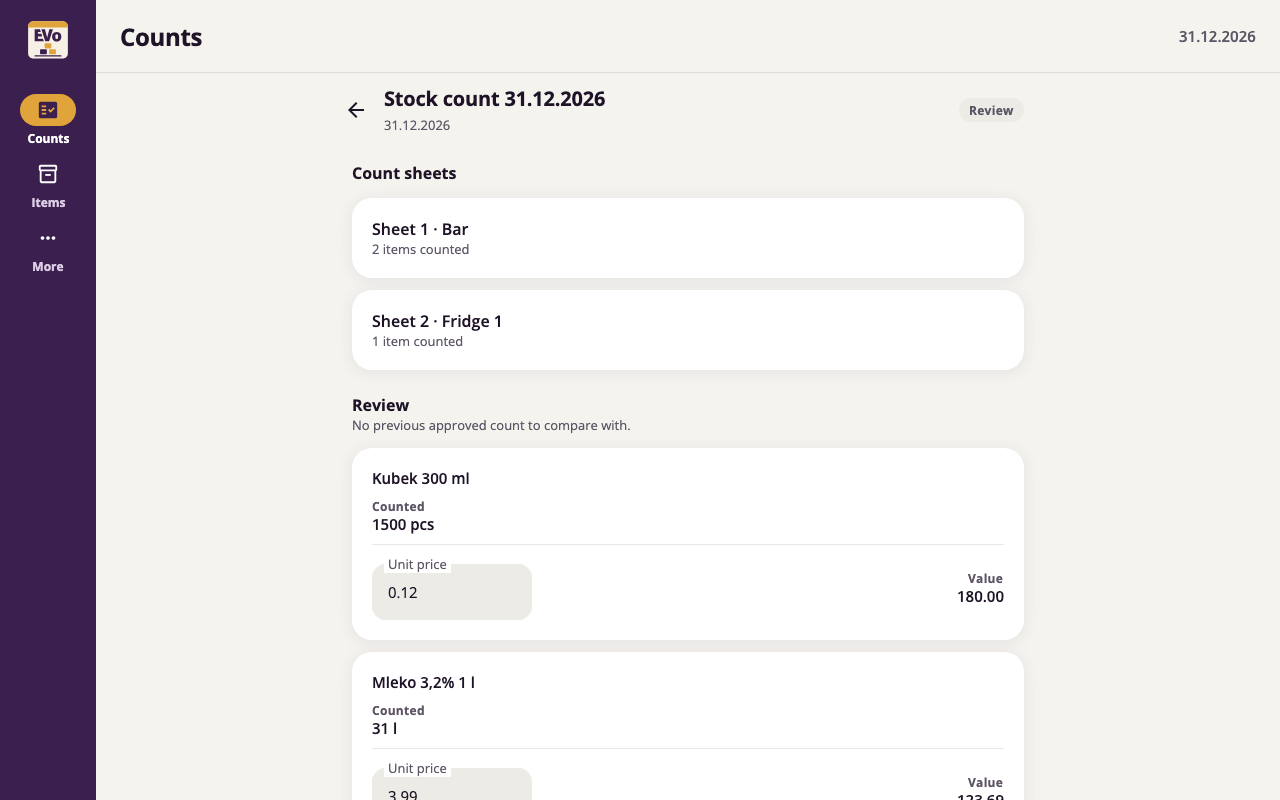
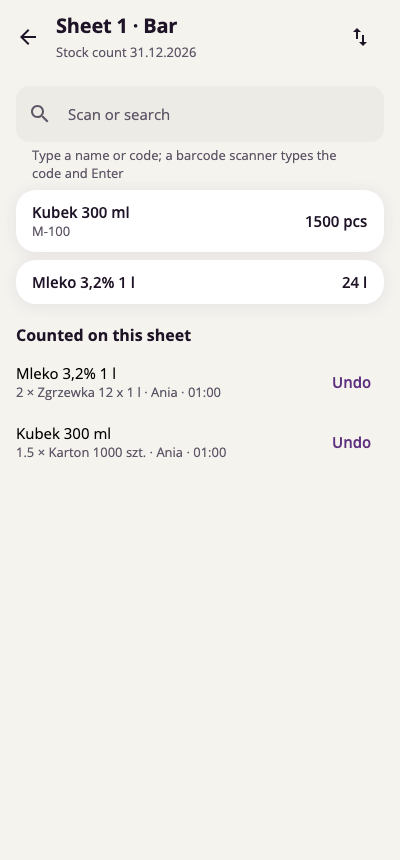
From the first shelf to the signed count sheet, without paper lists or spreadsheets to retype.
Bar, storeroom, Fridge 1 - in the order you walk them, with items in their shelf order.
A hand-held barcode scanner, the phone's camera or the keyboard. Unknown codes become new items on the spot.
A crate of 12, a carton of 6: count packs and EVoStocks works out the units.
Totals per item, items counted twice, differences from the last count and the value at your prices.
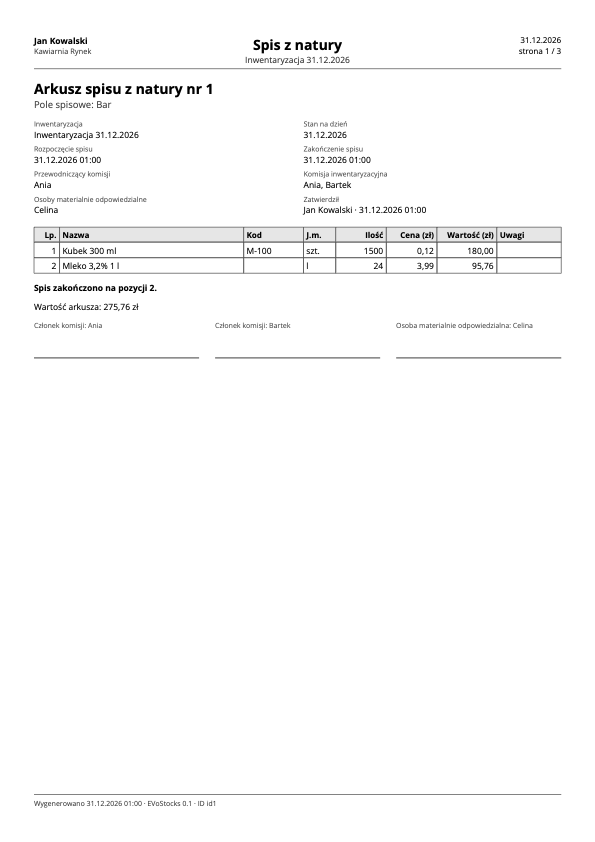
A signed count sheet PDF, an Excel workbook and CSV files to retype into your own system (e.g. Oracle MICROS).
Your data stays on your device, with a backup file you keep. In 43 languages, on phones, tablets, computers and the web.
Three steps, the same every month.
Add the places you count and your items - by hand, from a CSV list or by scanning their barcodes.
Walk the areas and count each sheet. Every line keeps who counted it and when.
Check the totals, approve the count and export the count sheet, Excel and CSV.
The printed count sheet lists every area's items with their quantities and values, the total and places for the signatures - in Polish as the "arkusz spisu z natury" for Polish businesses.
No account needed - your data stays on your device.
Open in your browser